![[2019] Samsung Chromebook 4+](https://chromebook.guide/wp-content/uploads/2020/02/51bOWCHEF2BL._SL1024_-1.jpg)
![[2019] Samsung Chromebook 4+ - Image 2](https://chromebook.guide/wp-content/uploads/2020/02/51ex4fE6WdL._SL1024_.jpg)
![[2019] Samsung Chromebook 4+ - Image 3](https://chromebook.guide/wp-content/uploads/2020/02/51M6tMVmf4L._SL1024_.jpg)
![[2019] Samsung Chromebook 4+ - Image 4](https://chromebook.guide/wp-content/uploads/2020/02/51bOWCHEF2BL._SL1024_.jpg)
![[2019] Samsung Chromebook 4+ - Image 5](https://chromebook.guide/wp-content/uploads/2020/02/4182B9ro62SL._SL1024_.jpg)
![[2019] Samsung Chromebook 4+ - Image 6](https://chromebook.guide/wp-content/uploads/2020/02/31ToLgc3muL._SL1024_.jpg)
![[2019] Samsung Chromebook 4+ - Image 7](https://chromebook.guide/wp-content/uploads/2020/02/315ygkdOGLL._SL1024_.jpg)
![[2019] Samsung Chromebook 4+ - Image 8](https://chromebook.guide/wp-content/uploads/2020/02/41GGm-YsfoL._SL1024_.jpg)
![[2019] Samsung Chromebook 4+ - Image 9](https://chromebook.guide/wp-content/uploads/2020/02/41rxiS3paDL._SL1024_.jpg)
![[2019] Samsung Chromebook 4+ - Image 10](https://chromebook.guide/wp-content/uploads/2020/02/41ctRUgpHEL._SL1024_.jpg)
![[2019] Samsung Chromebook 4+ - Image 11](https://chromebook.guide/wp-content/uploads/2020/02/51fHOb1gMtL._SL1024_.jpg)
![[2019] Samsung Chromebook 4+ - Image 12](https://chromebook.guide/wp-content/uploads/2020/02/41EK2eGP8yL._SL1024_.jpg)
![[2019] Samsung Chromebook 4+ - Image 13](https://chromebook.guide/wp-content/uploads/2020/02/41FRE95rXiL._SL1024_.jpg)
![[2019] Samsung Chromebook 4+ - Image 14](https://chromebook.guide/wp-content/uploads/2020/02/61UVAs3Qk-L._SL1106_.jpg)
![[2019] Samsung Chromebook 4+ - Image 15](https://chromebook.guide/wp-content/uploads/2020/02/61KN5IJFG3L._SL1024_.jpg)
![[2019] Samsung Chromebook 4+ - Image 16](https://chromebook.guide/wp-content/uploads/2020/02/51MV0G9IxyL._SL1024_.jpg)
![[2019] Samsung Chromebook 4+ - Image 17](https://chromebook.guide/wp-content/uploads/2020/02/51vAwehA9uL._SL1024_.jpg)
![[2019] Samsung Chromebook 4+ - Image 18](https://chromebook.guide/wp-content/uploads/2020/02/411haPgoX2BL._SL1024_.jpg)
![[2019] Samsung Chromebook 4+ - Image 19](https://chromebook.guide/wp-content/uploads/2020/02/31MuQ9-VJNL._SL1024_.jpg)
![[2019] Samsung Chromebook 4+ - Image 20](https://chromebook.guide/wp-content/uploads/2020/02/3111PUogR-L._SL1024_.jpg)
![[2019] Samsung Chromebook 4+ - Image 21](https://chromebook.guide/wp-content/uploads/2020/02/41HoQBWPnBL._SL1024_.jpg)
![[2019] Samsung Chromebook 4+ - Image 22](https://chromebook.guide/wp-content/uploads/2020/02/41xc2BegrFdL._SL1024_.jpg)
![[2019] Samsung Chromebook 4+ - Image 23](https://chromebook.guide/wp-content/uploads/2020/02/41pVfRW2BiyL._SL1024_.jpg)
![[2019] Samsung Chromebook 4+ - Image 24](https://chromebook.guide/wp-content/uploads/2020/02/41k8GDHKG1L._SL1024_.jpg)
![[2019] Samsung Chromebook 4+ - Image 25](https://chromebook.guide/wp-content/uploads/2020/02/41ytaXcukQL._SL1024_.jpg)
![[2019] Samsung Chromebook 4+ - Image 26](https://chromebook.guide/wp-content/uploads/2020/02/51H-z8yUN2BL._SL1024_.jpg)
Description
From the manufacturer
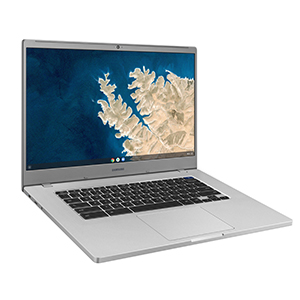
Samsung Chromebook 4+ 15.6″
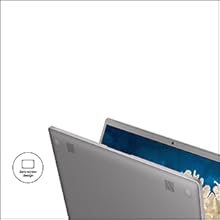
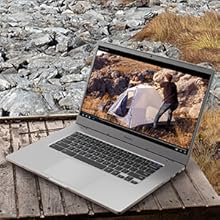
The quality of Samsung meets the accessibility of Chrome OS. Immerse yourself in the content you love on 15.6 inches of truly maximized screen space. Its all-new light and compact design lets you stream, work, create, and play on a fast, secure device designed to take everywhere.
Specifications
- Operating System: Chrome OS
- Processor: Intel Celeron Processor N4000
- System Memory: 4GB LPDDR4/4GB x 1, Max 4GB
- Storage: 32GB eMMC
- Display: 15.6″ FHD LED (1920 x 1080)
Product Features
|
|
|
|
|---|---|---|
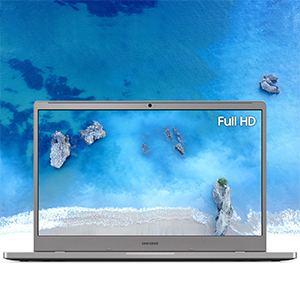
Do more on a bigger screen.Designed with a minimized bezel, the Samsung Chromebook 4+ gives you more room to view content on a brilliant 15.6″ Full HD screen. |
Google makes it easy.Access the world of Google. Use Google Docs, Google Drive, the Google Play Store and more. |
Ultra-fast connectivityWith a lightning fast Gigabit Wi-Fi connection, stream or download massive files rapidly. |


|
|
|
|
|
|---|---|---|---|
Protected inside and outMultiple layers of built-in virus protection guard against malicious malware. Automatic updates ensure you always have the latest in security protection. |
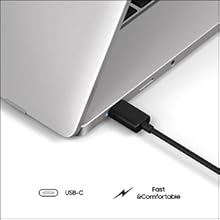
Power through your day.Delivers up to 10 hours* of battery on a full charge that quickly recharges on a USB-C charger. |
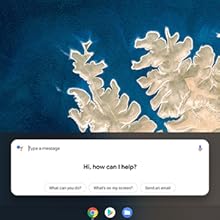
Just say the word.Use your voice to make a request and Google Assistant will get it done—whether you want to update your calendar or reply to a message, make a note or check the news. |
More is better.Two USB-C ports allow you to multitask, so you can charge and transfer large files without slowing things down. |


![[2019] Acer Chromebook 15](https://chromebook.guide/wp-content/uploads/2020/02/71oSzoL3-nL._SL1500_-300x300.jpg)
![[2019] Acer Chromebook 714/715](https://chromebook.guide/wp-content/uploads/2020/03/41djzz6WrjL-300x300.jpg)
Reviews
There are no reviews yet.